
Product

Network Pulse Incident Operations Asset Lifecycle Engineer & SLA Inventory & Spares Operations Wallboard

Solutions

Manufacturing Healthcare Education Corporate & Multi-location IT

More

Pricing Blog Help Centre FAQ
Start Free Trial Book a Live Demo Sign in to your workspace

Help CenterTickets

Create and assign a support ticket

Create a useful internal IT support ticket in InfraCue and route it to the right engineer or team.

Updated 26 Jul 2026

A good ticket gives the person resolving it the context they need on the first read. Capture the affected user, a clear subject, what happened, category, priority and any related asset.
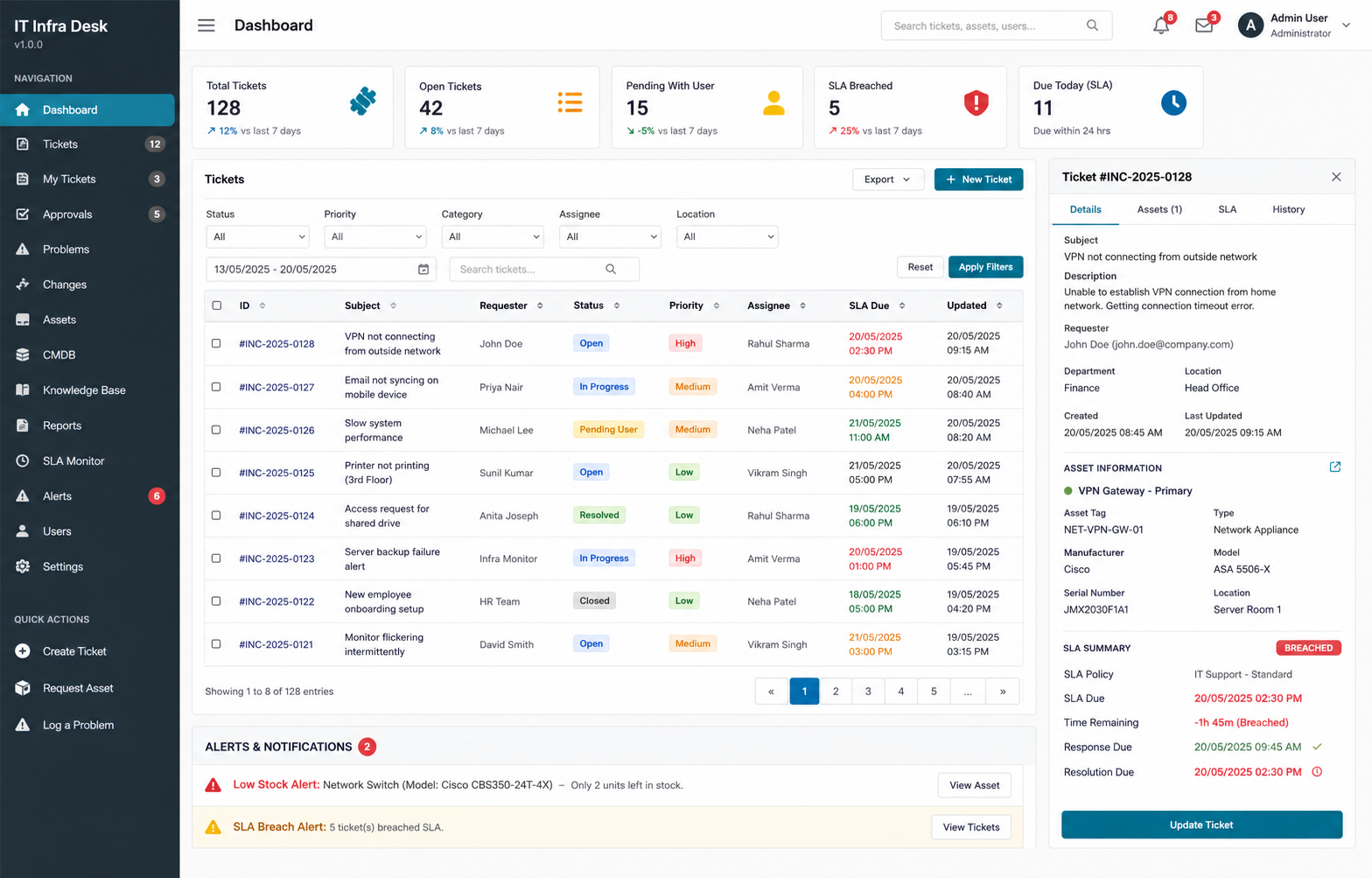
InfraCue ticket dashboard showing filters, ticket details and SLA information
A ticket becomes easier to work when the request, owner, status, priority and SLA are visible together.
  1. Open TicketsChoose All Tickets and create a new ticket.
  2. Describe the issueUse a specific subject and include what is affected, when it started and the impact.
  3. Set the service contextChoose the category, valid sub-category, priority and linked asset where relevant.
  4. Route itAllow a matching assignment rule to route the ticket, or assign it manually if your role and workflow allow it.